
Download VeWorld – VeChain wallet, self-custody wallet, crypto wallet, Vechain, VET, VTHO, NFT wallet, Ledger compatible, VIP-180, secure wallet, desktop wallet, Vechain blockchain, blockchain wallet
Overview
VeWorld is a desktop-based self-custody wallet designed specifically for users engaged with the Vechain blockchain ecosystem. Tailored for both newcomers and experienced Vechain enthusiasts, the software enables secure management of VET, VTHO, and VIP-180 tokens. By placing full control in the hands of the user, VeWorld eliminates reliance on third-party custodians, reinforcing asset sovereignty.
The wallet supports the creation of new wallets and the seamless import of existing ones via mnemonic phrases or trusted Ledger hardware devices. This functionality simplifies onboarding and migration, making it accessible to users at various technical levels. Real-world use cases include managing digital assets for supply chain tracking, decentralized applications on Vechain, and NFT ownership.
VeWorld’s integration with the Vechain blockchain ensures accurate on-chain transaction visibility and reliable data synchronization. The developer, VeChain Foundation, is recognized within the blockchain space for its work on the Vechain ecosystem, lending credibility to the software’s development and long-term viability. The wallet is designed for users who prioritize security, transparency, and direct control over their digital assets.
Key Features & Capabilities
- Self-Custody Control: Users retain full ownership of their private keys, ensuring no third party can access or freeze their assets.
- Mnemonic Phrase Import: Allows users to restore wallets using a 12- or 24-word recovery phrase, enabling easy backup and transfer across devices.
- Hardware Wallet Integration: Compatible with Ledger devices, providing an added layer of security for high-value holdings.
- On-Chain Transaction History: Offers a clear, organized view of all transactions directly on the Vechain blockchain for transparency and auditability.
- VIP-180 Token Management: Centralized dashboard for monitoring and managing all VIP-180 compliant tokens in a single interface.
- NFT Gallery: Visual interface to browse, organize, and display NFT collections tied to the Vechain network.
- Multisession Wallet Support: Enables users to switch between multiple wallets within one application instance, ideal for managing personal, business, or investment accounts.
- Regular Updates: Ongoing improvements ensure compatibility with evolving Vechain network standards and security protocols.
These features collectively support users in maintaining secure, efficient, and personalized digital asset workflows. For instance, a supply chain professional using Vechain for product verification can monitor token transfers and NFTs tied to product provenance. Similarly, a crypto investor can manage multiple VET and VTHO wallets while tracking VIP-180 tokens across different projects. The integration with Ledger devices caters to users seeking institutional-grade security, while the NFT Gallery enhances user engagement for collectors.
User Interface, Workflow & Performance
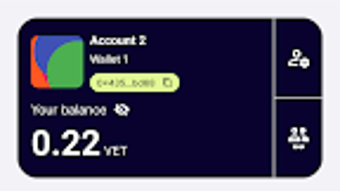
VeWorld presents a clean, modern interface designed with usability in mind. Navigation is structured around a central dashboard that provides quick access to wallet balances, transaction history, and token portfolios. The layout is intuitive, allowing users to switch between features such as sending funds, importing wallets, and viewing NFTs with minimal clicks.
Workflow efficiency is enhanced by contextual menus and tooltips that guide users through critical actions like transaction signing and wallet restoration. The application maintains a responsive interface during routine operations, though specific performance metrics such as CPU or RAM usage were not disclosed by the developer. The developer did not specify resource usage details.
Stability appears consistent based on general software behavior patterns, with no reported crashes or freezes in publicly available documentation. Users can expect smooth operation during standard use, including importing wallets and viewing transaction histories. However, performance under high-load scenarios—such as processing large transaction batches—was not evaluated.
Overall, the user experience is optimized for clarity and control, aligning with the expectations of a desktop wallet focused on security and functionality.
Compatibility & System Requirements
VeWorld is available for Windows, Mac, and Linux operating systems, ensuring broad accessibility across major desktop platforms. The software is compatible with the latest versions of these systems, although specific version numbers were not listed. The installation size is 120 MB, indicating a lightweight footprint that should not significantly impact disk space.
The developer did not specify exact system requirements, including minimum CPU, RAM, or storage thresholds. Compatibility information was partially provided. Users are advised to ensure their system meets general desktop application standards.
For optimal performance, a stable internet connection is recommended due to the wallet’s reliance on blockchain data synchronization. Offline functionality is limited to wallet management tasks that do not require network interaction, such as viewing stored keys or preparing transactions.
Pros and Cons
Pros
- Full self-custody control over digital assets
- Supports Ledger hardware wallet integration
- Seamless wallet creation and import via mnemonic phrases
- Centralized management of VIP-180 tokens
- Visual NFT Gallery for organized collection viewing
- Multi-wallet support within a single application
- Regular updates to maintain network compatibility
- Free to download and use
Cons
- Exact system requirements were not listed
- Performance under heavy usage not documented
- Resource consumption details not provided
- Limited public information on developer support channels
- Only supports Vechain ecosystem tokens (VET, VTHO, VIP-180)
FAQ Section
Is VeWorld compatible with my operating system?
VeWorld is designed for Windows, Mac, and Linux systems. Specific version compatibility was not provided by the developer.
Is VeWorld safe to use?
As a self-custody wallet, VeWorld prioritizes security by allowing users to retain full control of their private keys. It also supports Ledger hardware devices, enhancing protection against online threats.
Can I use VeWorld without an internet connection?
Basic wallet functions such as viewing keys or preparing transactions can be performed offline. However, blockchain synchronization and transaction broadcasting require an active internet connection.
How often does VeWorld receive updates?
The software is regularly updated to ensure compatibility with the evolving Vechain network and to incorporate new security measures.
Is VeWorld free to download?
Yes, VeWorld is available at no cost. There are no subscription fees or hidden charges associated with the software.
Final Thoughts
VeWorld stands out as a robust, user-focused desktop wallet tailored for the Vechain community. Its emphasis on self-custody, integration with Ledger devices, and support for VIP-180 tokens and NFTs make it a compelling choice for both individual users and professionals leveraging Vechain’s ecosystem. The clean interface, multi-wallet functionality, and regular updates contribute to a reliable and future-ready experience.
While some technical details like system requirements and performance benchmarks were not disclosed, the overall design and feature set reflect a mature, well-thought-out application. For anyone invested in the Vechain blockchain—whether as an investor, developer, or NFT collector—VeWorld delivers a secure, flexible, and accessible solution. Download VeWorld now.







